Discourse
Overview
Discourse is an open-source discussion platform used for crypto governance and project discussions. This guide explains how to add Sign in with Ethereum (SIWE) authentication to your Discourse instance. Injected wallets (MetaMask, Safe, etc.) work out of the box. ENS names and avatars are resolved server-side when an RPC endpoint is configured.

signinwithethereum/discourse-siwe-auth
→
Requirements
- A Discourse forum that is self-hosted or hosted with a provider that supports third-party plugins, like Communiteq.
Installation
Access your container's app.yml file:
cd /var/discourse
nano containers/app.yml
Add the plugin's repository URL to the after_code hook:
hooks:
  after_code:
    - exec:
        cd: $home/plugins
        cmd:
          - sudo -E -u discourse git clone https://github.com/discourse/docker_manager.git
          - sudo -E -u discourse git clone https://github.com/signinwithethereum/discourse-siwe-auth.git
Follow the existing format of the docker_manager.git line; if it does not contain sudo -E -u discourse then use git clone https://github.com/signinwithethereum/discourse-siwe-auth.git instead.
Rebuild the container:
cd /var/discourse
./launcher rebuild app
Configuration
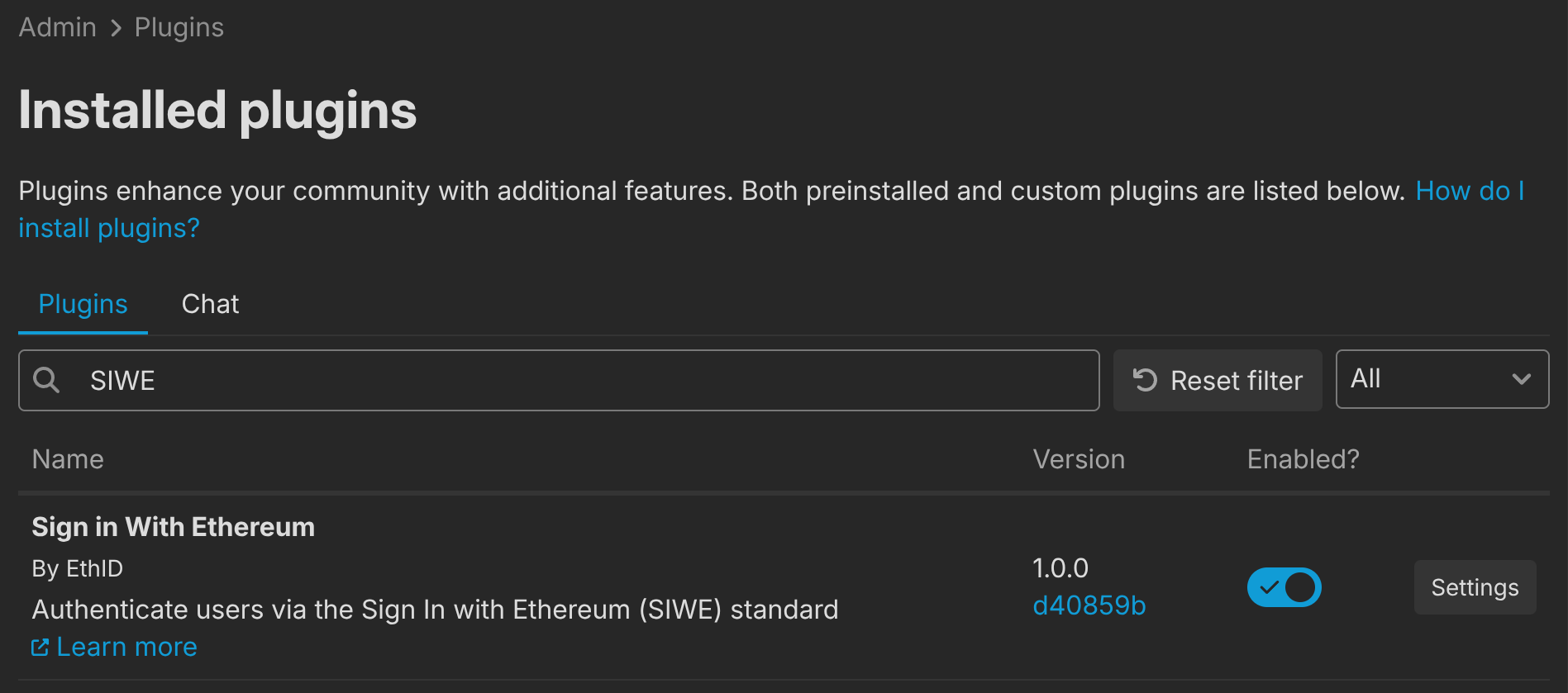
After installation, find the plugin under Admin > Plugins and make sure it is enabled:
Click Settings to configure the plugin:
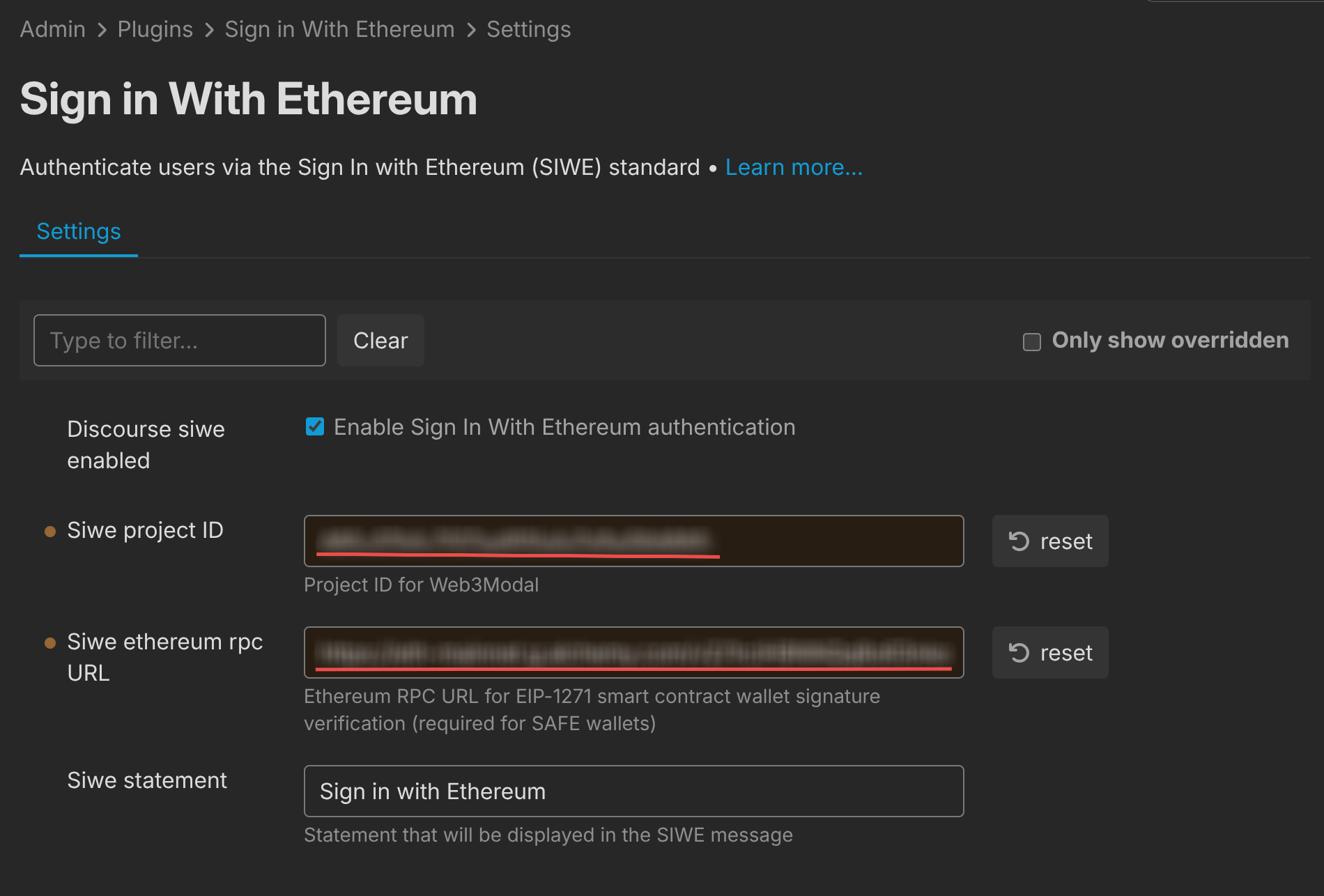
From here you can customize the sign-in statement and optionally add a WalletConnect / Reown project ID. Without a project ID, only injected wallets (MetaMask, Safe, etc.) are available.
Settings
| Setting | Description |
|---|---|
| Discourse siwe enabled | Enable or disable Sign-In with Ethereum authentication. |
| Siwe ethereum rpc url | Optional. An Ethereum JSON-RPC endpoint used for ENS name/avatar resolution and EIP-1271 signature verification (required for smart contract wallets like Safe). A dedicated provider (Alchemy, Infura) is recommended. Example: https://mainnet.infura.io/v3/YOUR_KEY. |
| Siwe project ID | Optional. A WalletConnect / Reown project ID. Without it, only injected wallets (MetaMask, Safe, etc.) are available. To enable WalletConnect, create a free project ID at dashboard.reown.com. |
| Siwe statement | The human-readable statement shown in the SIWE message. Defaults to "Sign in with Ethereum". |
How It Works
When a user clicks the Ethereum login button, the plugin opens a dedicated authentication page. The user connects their wallet, signs a SIWE message, and is authenticated via an OmniAuth strategy on the server side.
After first sign-in, users are asked to associate an email address with their account. If an RPC URL is configured and the connected address has an ENS name, the name is resolved and verified server-side and suggested as the default username. ENS avatars are fetched via the ENS metadata service and used as the profile photo.
Existing users can also connect their Ethereum accounts via their profile settings.
Disabling the Plugin
To disable SIWE authentication, uncheck Discourse siwe enabled in the plugin settings, or remove the plugin's git clone line from app.yml and rebuild.